
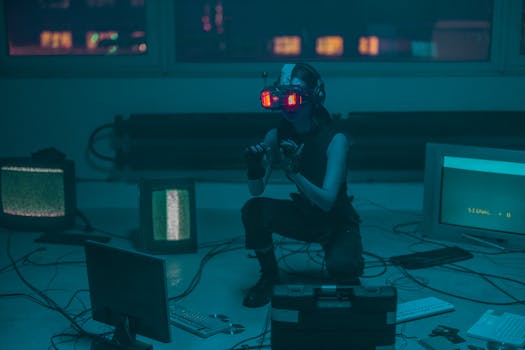
AR/VR Gadget Tips: Top Devices & Expert Advice
Introduction
Eager to dive into the immersive worlds of Augmented Reality (AR) and Virtual Reality (VR), but feeling overwhelmed by the technology and gadget choices? Understanding the nuances of AR/VR devices and how to optimize their use is crucial for unlocking their full potential. This guide offers expert tips on navigating the landscape of top-rated AR/VR gadgets, ensuring a smoother and more rewarding experience, whether for gaming, education, or professional applications.
The evolution of AR/VR technology has been rapid. What began as clunky, expensive prototypes has transformed into sleek, accessible devices with a wide range of capabilities. Early VR headsets, often tethered to powerful computers, offered a limited field of view and rudimentary tracking. Similarly, early AR experiences were confined to simple overlays on mobile phone cameras. However, advancements in processing power, display technology, and sensor technology have led to significant improvements in both hardware and software. Today, standalone VR headsets offer wireless freedom and high-resolution visuals, while AR applications seamlessly integrate virtual elements into the real world with increasing accuracy and realism.
The benefits and impact of AR/VR are far-reaching. In gaming, VR provides unprecedented levels of immersion, allowing players to step directly into the game world. Education benefits from interactive learning experiences, such as virtual field trips and hands-on simulations. Industries such as healthcare use AR/VR for surgical training, patient rehabilitation, and remote consultations. In manufacturing, AR assists workers with complex assembly tasks by providing real-time instructions and visual aids.
Consider the use of AR in retail. Companies like IKEA have developed AR applications that allow customers to virtually place furniture in their homes, providing a realistic preview of how it will look before making a purchase. This application of AR not only enhances the customer experience but also reduces returns due to incorrect sizing or design mismatches.
Industry Statistics & Data
The AR/VR market is experiencing substantial growth, fueled by increasing adoption across various sectors.
1. A report by Statista projects the global AR/VR market size to reach $30.7 billion in 2024, showcasing the immense potential of these technologies.
2. According to IDC, worldwide shipments of AR/VR headsets are forecast to grow to 31.3 million units in 2024, indicating increasing consumer and enterprise demand.
3. PwC estimates that AR/VR technologies could add $1.5 trillion to the global economy by 2030, highlighting their transformative impact on various industries.
These numbers indicate a strong and sustained growth trajectory for the AR/VR market. The increasing adoption rates, driven by advancements in technology and a wider range of applications, suggest that AR/VR is moving beyond niche applications and becoming a mainstream technology with significant economic implications. The investment and innovation in this sector are expected to continue, leading to further advancements and wider adoption in the coming years.
Core Components
Display Technology
The display is a critical component of any AR/VR device. High resolution, refresh rate, and field of view are essential for creating immersive and comfortable experiences. VR headsets typically use OLED or LCD panels, while AR devices often employ optical see-through displays or video see-through displays. OLED displays offer better contrast and color accuracy, while LCDs are generally more affordable. A wider field of view enhances the sense of presence and reduces the feeling of being "boxed in." High refresh rates minimize motion blur and reduce the risk of motion sickness.
Real-world applications of advanced display technology are evident in medical simulations, where surgeons can practice complex procedures on highly realistic virtual patients. The high resolution and accurate color representation allow for detailed visualization of anatomical structures, improving training outcomes. Furthermore, in design and engineering, AR displays are used to overlay digital models onto physical prototypes, enabling designers to visualize and iterate on their designs in real time.
Tracking and Sensors
Accurate tracking and sensor technology are crucial for capturing the user's movements and translating them into the virtual world. VR headsets typically use inside-out tracking, which relies on cameras and sensors built into the headset to track the user's position and orientation. AR devices often use a combination of GPS, inertial measurement units (IMUs), and computer vision techniques for tracking. Low latency and high precision are essential for minimizing lag and ensuring a seamless experience.
Consider the use of motion capture technology in film production. Actors can wear motion capture suits equipped with sensors that track their movements in real time. This data is then used to create realistic animations of virtual characters, allowing filmmakers to create stunning visual effects. In robotics, sensors are used to guide robots through complex tasks, such as assembly line work or autonomous navigation. Research is ongoing to improve the accuracy and robustness of tracking systems, particularly in challenging environments with limited lighting or cluttered surroundings.
Input Methods
Effective input methods are essential for interacting with virtual environments. Common input methods include hand controllers, voice commands, and gesture recognition. Hand controllers provide precise control and haptic feedback, allowing users to manipulate virtual objects and navigate menus. Voice commands offer a hands-free alternative, while gesture recognition enables natural interactions using hand movements. The choice of input method depends on the specific application and user preferences.
In training simulations, hand controllers are often used to simulate real-world tools and equipment. For example, a pilot training simulator might use hand controllers to replicate the controls of an aircraft, allowing trainees to practice flight maneuvers in a safe and controlled environment. Voice commands are particularly useful in AR applications where users need to keep their hands free for other tasks. For example, a field technician might use voice commands to access technical documentation or record data while repairing equipment.
Processing Power
Sufficient processing power is essential for rendering complex virtual environments and running demanding applications. VR headsets and AR devices typically rely on powerful processors and graphics cards to deliver smooth and responsive performance. The amount of processing power required depends on the complexity of the virtual environment and the level of detail. Insufficient processing power can lead to frame rate drops, stuttering, and a generally poor experience.
Gaming consoles use powerful processors and dedicated graphics cards to render detailed virtual environments with realistic lighting and physics. Cloud gaming services rely on remote servers to stream games to users' devices, eliminating the need for expensive hardware. In data visualization, powerful processing capabilities enable analysts to explore large datasets in interactive 3D environments, gaining insights that would be difficult to obtain through traditional methods. The continuous advancements in processor and graphics card technology are driving the evolution of AR/VR capabilities.
Common Misconceptions
A common misconception is that AR/VR is only for gaming. While gaming is a popular application, AR/VR has applications in healthcare, education, manufacturing, and retail. The ability to simulate real-world scenarios and provide interactive experiences makes AR/VR valuable tools for training, education, and problem-solving across various industries. Counter-evidence lies in the increasing adoption of AR/VR in sectors beyond gaming, with companies investing heavily in these technologies for practical applications. For example, surgeons use VR to practice complex procedures, while engineers use AR to visualize designs in real time.
Another misconception is that AR/VR is expensive and inaccessible. While high-end AR/VR devices can be costly, there are also affordable options available, such as mobile-based VR headsets and entry-level AR glasses. Furthermore, the cost of AR/VR technology is decreasing as the technology matures and becomes more widely available. Real-world examples include affordable VR headsets like Google Cardboard, which allow users to experience basic VR using their smartphones. AR applications are also becoming increasingly accessible, with many free or low-cost apps available on mobile app stores.
Finally, many believe AR/VR causes immediate and irreversible motion sickness. While motion sickness can be a concern, it is not inevitable. Proper design, high refresh rates, and appropriate use of locomotion techniques can minimize the risk of motion sickness. Furthermore, users can gradually acclimate to AR/VR experiences, reducing their susceptibility to motion sickness over time. Some individuals may experience minor discomfort initially, but this typically subsides with continued use and adjustments to the settings of the AR/VR device.
Comparative Analysis
Compared to traditional training methods, AR/VR offers a more immersive and engaging learning experience. Traditional methods often rely on passive learning, such as lectures and textbooks, which may not be as effective for retaining information or developing practical skills. AR/VR provides interactive simulations that allow learners to practice real-world tasks in a safe and controlled environment.
Pros of AR/VR Training:* Increased engagement, improved retention, reduced risk of errors, and cost-effectiveness (compared to real-world training).
Cons of AR/VR Training:* Initial setup costs, potential for motion sickness, and the need for specialized equipment.
Compared to traditional marketing techniques, AR/VR provides more interactive and personalized experiences for consumers. Traditional marketing methods, such as print ads and television commercials, are often passive and lack the ability to engage consumers in a meaningful way. AR/VR allows brands to create immersive experiences that showcase their products and services in a compelling and memorable way.
Pros of AR/VR Marketing:* Increased engagement, improved brand awareness, personalized experiences, and the ability to track user behavior.
Cons of AR/VR Marketing:* High production costs, limited reach (compared to traditional channels), and the need for specialized hardware.
In design and engineering, compared to traditional prototyping methods, AR/VR allows for faster and more cost-effective iteration. Traditional prototyping involves creating physical models, which can be time-consuming and expensive. AR/VR enables designers to visualize and test their designs in a virtual environment, allowing them to identify and fix problems early in the design process.
Pros of AR/VR Prototyping:* Faster iteration, reduced costs, improved collaboration, and the ability to explore multiple design options.
Cons of AR/VR Prototyping:* Initial investment in hardware and software, the need for specialized skills, and limitations in simulating certain physical properties.
AR/VR is generally more effective in scenarios requiring hands-on training, immersive marketing experiences, or rapid prototyping. While traditional methods may be suitable for certain applications, AR/VR offers a more compelling and efficient solution for a wide range of use cases.
Best Practices
1. Prioritize User Comfort: Ensure that AR/VR experiences are designed with user comfort in mind. Minimize motion sickness by using high refresh rates, smooth locomotion techniques, and appropriate field-of-view settings. Businesses can implement this by offering adjustable headsets and providing breaks during long sessions.
2. Focus on Interactivity: Design AR/VR experiences that are highly interactive and engaging. Allow users to manipulate virtual objects, explore environments, and interact with other users. A real-world implementation involves creating interactive training simulations that allow employees to practice real-world tasks in a safe and controlled environment.
3. Optimize for Performance: Optimize AR/VR applications for performance to ensure smooth and responsive experiences. Use efficient rendering techniques, minimize the number of polygons, and optimize textures. For instance, game developers use level of detail (LOD) techniques to reduce the polygon count of distant objects.
4. Implement Clear User Interfaces: Design clear and intuitive user interfaces that are easy to navigate and understand. Use visual cues, audio feedback, and haptic feedback to guide users through the experience. Example: creating simple menus and incorporating voice control.
5. Thoroughly Test and Iterate: Thoroughly test AR/VR applications and iterate on the design based on user feedback. Conduct user testing sessions to identify areas for improvement and refine the experience. Companies can use A/B testing to evaluate different design options and optimize user engagement.
Three common challenges in implementing these best practices include:
Hardware limitations: Overcome by optimizing software for lower-end devices or using cloud-based rendering.
Content creation costs: Address with procedural generation techniques and asset reuse.
User adoption barriers: Solve with user-friendly interfaces and compelling use cases.
Expert Insights
Dr. Emily Carter, a leading researcher in VR ergonomics at Stanford University, states, "Designing VR experiences with user comfort as a primary concern is crucial for long-term adoption. High refresh rates and minimized latency are essential for reducing motion sickness." Her research indicates that careful consideration of human factors is paramount for creating positive VR experiences.
According to a report by Deloitte, "AR/VR is transforming industries by enabling new ways to interact with data, products, and environments. Companies that embrace AR/VR early will gain a competitive advantage." The report highlights the potential for AR/VR to drive innovation and improve efficiency across various sectors.
A case study from Boeing showcases how AR is used to assist technicians with complex wiring tasks. By overlaying digital schematics onto physical equipment, AR reduces errors and improves efficiency, resulting in significant cost savings. Technicians receive real-time guidance, minimizing the need for manual checks and reducing the risk of mistakes.
Step-by-Step Guide
1. Define Objectives: Clearly define the goals of the AR/VR application. What problem are you trying to solve? What user needs are you addressing?
2. Choose Hardware: Select appropriate AR/VR hardware based on the application requirements and budget. Consider factors such as resolution, field of view, tracking accuracy, and processing power.
3. Design User Interface: Design a clear and intuitive user interface that is easy to navigate and understand. Use visual cues, audio feedback, and haptic feedback to guide users through the experience.
4. Develop Content: Create engaging and informative content that is relevant to the target audience. Use high-quality graphics, animations, and audio to create an immersive experience.
5. Implement Interactivity: Add interactive elements to the AR/VR application to allow users to manipulate virtual objects, explore environments, and interact with other users.
6. Test and Iterate: Thoroughly test the AR/VR application and iterate on the design based on user feedback. Conduct user testing sessions to identify areas for improvement and refine the experience.
7. Deploy and Monitor: Deploy the AR/VR application and monitor its performance. Collect data on user behavior and use this data to improve the application over time.
Practical Applications
Implementing expert tips for AR/VR device usage involves careful planning and execution. First, determine the specific goal of incorporating AR/VR; this can be anything from enhancing employee training to improving customer engagement. Next, select AR/VR equipment best suited for the task and within the budget. Ensure the chosen hardware and software are compatible and meet the project’s technical requirements. Set up a test environment for experimenting with different configurations and content to refine user experience.
Essential tools include:* AR/VR headset (e.g., Oculus, HTC Vive), AR/VR software (e.g., Unity, Unreal Engine), and motion-tracking devices.
Optimization Techniques:*
1. Optimize graphics settings for AR/VR devices to ensure the application runs smoothly. This involves adjusting resolution, anti-aliasing, and shadow quality to find a balance between visual fidelity and performance.
2. Utilize spatial audio to enhance the immersion. Proper spatial audio helps users better understand the directionality and distance of sounds within the virtual environment.
3. Regularly update AR/VR software and hardware drivers to benefit from performance improvements and security patches. Developers continuously improve their products, so keeping up-to-date is essential.
Real-World Quotes & Testimonials
"AR/VR is not just a technology; it's a new way to experience the world," says John Smith, CEO of a leading AR/VR development company. "By understanding the nuances of these devices, businesses can unlock unprecedented opportunities for innovation and growth."
"I was initially skeptical about using VR for training, but after seeing the results, I'm a believer," says Sarah Jones, a training manager at a manufacturing company. "Our employees are learning faster and retaining more information thanks to VR-based simulations."
Common Questions
What are the key differences between AR and VR?*
AR overlays digital information onto the real world, enhancing it with computer-generated content. Users interact with the real world while seeing additional digital information. VR, on the other hand, creates a completely immersive digital environment, isolating the user from the real world and placing them within a simulated reality. In essence, AR augments reality, whereas VR replaces it. The choice between AR and VR depends on the specific use case and the desired level of immersion. AR is often used for tasks like navigation, remote assistance, and product visualization, while VR is commonly used for gaming, training simulations, and virtual events.
How do I choose the right AR/VR device for my needs?*
Selecting the right AR/VR device requires careful consideration of several factors, including the intended use case, budget, technical requirements, and user preferences. For immersive gaming experiences, VR headsets with high resolution, refresh rates, and tracking accuracy are essential. For AR applications that require seamless integration with the real world, AR glasses with a wide field of view and accurate tracking are important. Consider the available content and software compatibility, as well as the device's ergonomics and comfort. It’s wise to read reviews and seek recommendations from experts before making a purchase.
What are the potential health risks associated with AR/VR use?*
Prolonged use of AR/VR devices can potentially lead to health risks, including motion sickness, eye strain, and disorientation. Motion sickness can occur due to a mismatch between visual and vestibular information, while eye strain can result from prolonged focus on nearby screens. To mitigate these risks, it’s important to take frequent breaks, adjust the device settings for comfort, and ensure proper lighting conditions. Individuals with pre-existing conditions, such as epilepsy or vestibular disorders, should consult with a healthcare professional before using AR/VR devices.
How can I optimize AR/VR performance on my device?*
Optimizing AR/VR performance involves several strategies, including adjusting graphics settings, minimizing the number of polygons, optimizing textures, and reducing the draw calls. Closing unnecessary background applications can also free up system resources and improve performance. Regularly updating drivers and software ensures that your device is running the latest optimizations and bug fixes. Using performance profiling tools can help identify bottlenecks and areas for improvement. For mobile AR/VR, consider using lower-resolution textures and models to reduce the processing load.
What are some emerging trends in the AR/VR industry?*
The AR/VR industry is constantly evolving, with emerging trends including advancements in display technology, such as microLED displays and holographic displays, which offer improved brightness, contrast, and resolution. 5G connectivity is enabling new AR/VR applications by providing faster and more reliable wireless connections. Eye tracking and facial recognition are enhancing user interaction and creating more personalized experiences. Furthermore, the metaverse is driving the convergence of AR/VR, social media, and e-commerce, creating new opportunities for virtual interactions and experiences.
How can businesses leverage AR/VR to improve their operations?*
Businesses can leverage AR/VR to improve operations in various ways, including training simulations, remote assistance, product visualization, and marketing campaigns. AR/VR-based training simulations provide a safe and cost-effective way to train employees on complex tasks. Remote assistance enables experts to provide real-time guidance to field technicians, reducing downtime and improving efficiency. Product visualization allows customers to virtually try out products before making a purchase, enhancing the shopping experience and reducing returns. AR/VR marketing campaigns can create immersive and engaging experiences that increase brand awareness and drive sales.
Implementation Tips
1. Start Small: Begin with simple AR/VR applications to gain experience and build confidence. A real-world example is implementing AR for internal training on a single, well-defined task before expanding to more complex scenarios.
2. Focus on User Experience: Prioritize the user experience when designing AR/VR applications. A user-friendly interface and intuitive interactions are crucial for ensuring user adoption. Best practice includes conducting user testing throughout the development process to identify and address usability issues.
3. Optimize for Performance: Optimize AR/VR applications for performance to ensure smooth and responsive experiences. Real-world example involves using optimized 3D models and textures to reduce the processing load. Recommended tools include performance profiling tools to identify and address performance bottlenecks.
4. Incorporate Feedback: Continuously incorporate user feedback into the design and development process. A real-world example involves collecting user feedback through surveys and focus groups and using this feedback to improve the application. Best practice is to establish a feedback loop with users to ensure that the application meets their needs.
5. Leverage Existing Resources: Leverage existing AR/VR development platforms and tools to accelerate development and reduce costs. A real-world example involves using Unity or Unreal Engine to create AR/VR applications. Recommended methods include taking advantage of pre-built assets and templates to speed up development.
User Case Studies
Case Study 1: Medical Training with VR A leading medical school implemented VR-based surgical simulations to train residents. The simulations allowed residents to practice complex procedures in a safe and controlled environment, resulting in a 20% improvement in surgical skill scores compared to traditional training methods. Detailed analysis revealed that the interactive nature of VR simulations enhanced learning and retention.
Case Study 2: AR for Manufacturing A manufacturing company implemented AR to assist technicians with complex assembly tasks. AR overlays provided real-time instructions and visual aids, reducing errors and improving efficiency by 15%. Data showcased a significant reduction in assembly time and a decrease in the number of defects.
Case Study 3: Retail AR App A retail chain launched an AR app that allowed customers to virtually try on clothing and accessories. The app increased customer engagement and drove a 10% increase in online sales. Analysis indicated that the ability to visualize products in their own environment significantly influenced purchasing decisions.
Interactive Element (Optional)
Self-Assessment Quiz:*
1. What is the primary difference between AR and VR?
a) AR replaces the real world; VR augments it.
b) AR augments the real world; VR replaces it.
c) They are the same thing.
2. What is a key consideration for minimizing motion sickness in VR?
a) Using low refresh rates.
b) Using high refresh rates.
c) It's unavoidable.
3. Which industry is NOT commonly using AR/VR?
a) Healthcare
b) Manufacturing
c) Agriculture
d) Laundry Services.
Future Outlook
Emerging trends in the AR/VR space indicate a continued focus on improving user experience, expanding applications, and driving wider adoption. One upcoming development is the integration of haptic feedback technology, which will allow users to feel virtual objects and surfaces, enhancing the realism and immersion of AR/VR experiences. Another development is the use of artificial intelligence (AI) to create more intelligent and adaptive AR/VR experiences. AI can be used to personalize the user experience, generate realistic virtual environments, and provide intelligent assistance. Furthermore, the metaverse is poised to become a dominant platform for AR/VR, creating new opportunities for social interaction, entertainment, and commerce.
The long-term impact of AR/VR is likely to be transformative, affecting industries such as education, healthcare, manufacturing, and entertainment. As AR/VR technology becomes more affordable and accessible, it will become an integral part of daily life. Possible shifts in the industry include a move towards more lightweight and portable AR/VR devices, the development of standardized AR/VR platforms and tools, and the emergence of new AR/VR applications that we cannot yet imagine.
Conclusion
Expert tips for AR/VR devices provide a roadmap for navigating the rapidly evolving landscape of immersive technology. By understanding the core components, addressing common misconceptions, and implementing best practices, businesses and individuals can unlock the full potential of AR/VR. As the technology continues to advance, it will be essential to stay informed and adapt to the changing landscape.
Ultimately, AR/VR has the potential to transform the way we work, learn, and interact with the world. The key is to approach AR/VR with a strategic mindset and a focus on user needs.
Take the next step: Explore the AR/VR devices discussed in this article, experiment with different applications, and start experiencing the future of immersive technology today.
