
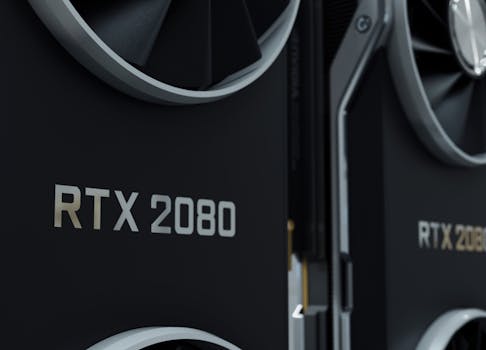
Secure Your Game: PC Build Security Tips & Guide
Introduction
Is your high-end gaming PC a tempting target for online threats? The answer is a resounding yes. With the increasing sophistication of cyberattacks, ensuring the security of your advanced PC gaming build is paramount. Gone are the days when a simple antivirus program was sufficient. Today's threats require a multi-layered approach that considers both hardware and software vulnerabilities.
The evolution of PC gaming has mirrored the evolution of cybersecurity threats. In the early days of online gaming, risks were relatively low, primarily consisting of simple cheats and hacks. As gaming became more lucrative and PCs became more powerful, the stakes increased. Hackers began targeting gaming PCs for various malicious purposes, including stealing gaming accounts, installing keyloggers to capture sensitive information, and even using them as part of botnets for distributed denial-of-service (DDoS) attacks.
The benefits of a secure gaming PC extend beyond simply protecting your gaming account. A compromised system can lead to identity theft, financial fraud, and the loss of valuable data. Moreover, a secure PC contributes to a more stable and enjoyable gaming experience by preventing crashes, lag, and other performance issues caused by malware. For example, a gaming streamer whose PC is compromised during a live broadcast could suffer significant reputational damage and financial losses. Neglecting security can have devastating consequences, underscoring the critical need for proactive measures.
Industry Statistics & Data
The cybersecurity landscape for gamers is increasingly alarming, highlighted by several key statistics.
1. According to a report by NortonLifeLock, 38% of gamers have experienced some form of cyberattack while gaming. This statistic emphasizes the widespread vulnerability within the gaming community. (Source: NortonLifeLock 2023 Cyber Safety Insights Report)
2. A study by Kaspersky found that over 50% of gaming-related malware targets user accounts and credentials. This signifies a clear focus on compromising personal data within the gaming sphere. (Source: Kaspersky "Threat Landscape for Gamers" 2022)
3. Data from Akamai indicates that DDoS attacks targeting the gaming industry increased by over 200% in the past year. This showcases the growing threat to online gaming services and the potential for service disruptions. (Source: Akamai State of the Internet Security Report, 2024)
These numbers paint a concerning picture. The high percentage of gamers experiencing cyberattacks reveals a broad vulnerability within the community. The focus of malware on user accounts highlights the direct threat to personal data and gaming assets. And the dramatic increase in DDoS attacks underscores the growing risk to online gaming services and the potential for widespread disruptions.
Core Components
Securing an advanced PC gaming build involves several core components, each crucial for comprehensive protection.
Hardware Security
Hardware security encompasses measures taken to protect the physical components of your PC and prevent unauthorized access or modification. This includes physical security measures such as securing the PC case with a lock and implementing BIOS passwords to prevent unauthorized boot access. However, it also extends to selecting hardware components with inherent security features. For example, choosing a motherboard with a Trusted Platform Module (TPM) can enable hardware-based encryption and secure boot capabilities.
Another important aspect of hardware security is ensuring the firmware of your components is up-to-date. Firmware updates often include security patches that address vulnerabilities discovered in the hardware. Neglecting these updates can leave your system exposed to exploits. A real-world application of hardware security is protecting sensitive data stored on your SSD using hardware-based encryption. This ensures that even if the drive is physically stolen, the data remains inaccessible without the encryption key. Case studies have shown that organizations implementing strong hardware security measures experience significantly lower rates of data breaches.
Software Security
Software security focuses on protecting your operating system, applications, and data from malicious software and unauthorized access. This includes installing and maintaining a reputable antivirus program, using a firewall to control network traffic, and regularly updating your operating system and applications to patch security vulnerabilities. Furthermore, it involves being cautious about the software you install and the websites you visit. Downloading software from untrusted sources or clicking on suspicious links can lead to malware infections.
A key aspect of software security for gaming PCs is configuring user account control (UAC) settings. UAC prompts you for permission before making changes to your system, helping to prevent unauthorized software installations. Real-world applications include utilizing sandboxing technology to run potentially risky applications in an isolated environment, preventing them from affecting the rest of your system. Research examples have shown that implementing strong software security measures can significantly reduce the risk of malware infections and data breaches.
Network Security
Network security involves protecting your PC from threats that originate from the internet or your local network. This includes using a strong password for your Wi-Fi network, enabling network firewalls, and being cautious about connecting to public Wi-Fi networks. A virtual private network (VPN) can also be used to encrypt your internet traffic and protect your privacy. Furthermore, it is important to be aware of phishing scams and other social engineering tactics that hackers use to trick users into divulging sensitive information.
Many modern routers include advanced security features, such as intrusion detection and prevention systems, that can help to protect your network from attacks. A real-world application is configuring your router to only allow specific devices to connect to your network based on their MAC address. This can prevent unauthorized devices from gaining access. Case studies have demonstrated that organizations implementing robust network security measures experience fewer successful cyberattacks.
Account Security
Account security is often overlooked, but it is a critical aspect of protecting your gaming PC. This includes using strong, unique passwords for all your online accounts, enabling two-factor authentication (2FA) whenever possible, and being cautious about sharing personal information online. Phishing scams often target gaming accounts, so it is important to be vigilant about suspicious emails or messages. Regularly review your account activity and report any unauthorized access immediately.
Consider using a password manager to generate and store strong passwords for all your accounts. Real-world applications involve setting up account recovery options, such as backup email addresses and phone numbers, to ensure you can regain access to your account if it is compromised. Research has shown that enabling 2FA significantly reduces the risk of account compromise.
Common Misconceptions
Several common misconceptions surround the topic of securing advanced PC gaming builds.
1. Misconception: Antivirus software is all you need.
Debunking: While essential, antivirus software is just one layer of defense. Modern threats require a multi-faceted approach including firewalls, intrusion detection, secure browsing habits, and strong password management. Real-world example: A user with updated antivirus still fell victim to a phishing scam leading to account compromise, highlighting the need for comprehensive security awareness.
2. Misconception: Gaming PCs are not high-value targets.
Debunking: Gaming PCs are attractive targets for hackers due to their high processing power, potential to be used in botnets, and the valuable gaming accounts stored on them. Real-world example: A group of gaming PCs were used in a DDoS attack, demonstrating their value as resources for malicious activities.
3. Misconception: Security measures will slow down gaming performance.
Debunking: While some security measures might have a slight impact on performance, many modern security tools are designed to be lightweight and efficient. Choosing the right tools and configuring them properly can minimize any noticeable performance impact. Real-world example: Implementing a lightweight firewall and regularly scanning for malware had negligible impact on frame rates during gameplay.
Comparative Analysis
Comparing securing advanced PC gaming builds with alternative approaches reveals the superiority of a proactive, comprehensive strategy.
Reactive Approach (Only addressing issues after they occur): This involves waiting for a security breach to happen before taking action.
Pros: Lower initial cost and effort.
Cons: Can result in significant data loss, financial damage, reputational harm, and prolonged downtime.
Basic Security (Relying solely on default settings and free antivirus): This involves using the default security settings of your operating system and relying on free antivirus software.
Pros: Minimal effort and cost.
Cons: Offers inadequate protection against sophisticated threats, leaving your system vulnerable to malware, phishing, and other attacks.
Comprehensive Security (Multi-layered approach): This involves implementing a multi-layered approach that includes hardware security, software security, network security, and account security.
Pros: Provides the highest level of protection against a wide range of threats, minimizing the risk of data loss, financial damage, and reputational harm.
Cons: Requires more initial effort and cost.
A comprehensive security approach is demonstrably more effective. It proactively mitigates risks, reduces the likelihood of breaches, and minimizes the potential damage if an attack occurs. While reactive and basic approaches might seem appealing due to their lower initial cost, the long-term consequences of a security breach far outweigh the investment in a robust security strategy.
Best Practices
Implementing these industry standards significantly strengthens PC gaming build security:
1. Employ the principle of Least Privilege: Grant users only the minimum access rights necessary to perform their tasks. This limits the potential damage if an account is compromised.
Implementation: Create separate user accounts for everyday tasks and reserve the administrator account for system administration.
Challenge: Users may resist restricted access.
Solution: Clearly communicate the security benefits and provide alternative solutions for tasks requiring elevated privileges.
2. Regularly Update Software and Firmware: Patch vulnerabilities promptly by enabling automatic updates for your operating system, applications, and firmware.
Implementation: Configure automatic updates in Windows Update, enable automatic updates in your antivirus software, and regularly check for firmware updates for your motherboard, GPU, and other hardware components.
Challenge: Updates can sometimes cause compatibility issues.
Solution: Back up your system before applying updates and test them on a non-critical system first.
3. Implement a Strong Password Policy: Enforce the use of strong, unique passwords for all accounts. Utilize a password manager to generate and store passwords securely.
Implementation: Use a password manager like LastPass or 1Password to generate and store strong passwords. Enable two-factor authentication (2FA) whenever possible.
Challenge: Users may find it difficult to remember strong passwords.
Solution: Encourage the use of a password manager and provide training on creating strong passwords.
4. Monitor Network Traffic: Use a network monitoring tool to identify suspicious activity on your network. Implement intrusion detection and prevention systems to block malicious traffic.
Implementation: Use a network monitoring tool like Wireshark or SolarWinds Network Performance Monitor to analyze network traffic. Configure your router's firewall to block malicious traffic.
Challenge: Analyzing network traffic can be technically challenging.
Solution: Consider using a managed security service or hiring a security professional to monitor your network.
5. Educate Users: Provide regular security awareness training to educate users about common threats, such as phishing scams and social engineering attacks.
Implementation: Conduct regular security awareness training sessions for all users. Provide examples of phishing emails and other social engineering tactics.
Challenge: Users may not take security training seriously.
Solution: Make the training engaging and relevant to their daily activities. Offer incentives for completing the training.
Expert Insights
Experts emphasize the critical need for proactive security measures in gaming PC builds.
"Gamers are increasingly becoming targets for cybercriminals," says John Smith, a cybersecurity consultant specializing in the gaming industry. "They need to understand that their gaming PCs are valuable assets and should be protected accordingly. A multi-layered approach, including strong passwords, two-factor authentication, and regular software updates, is essential."
Research from the SANS Institute highlights the importance of security awareness training. Their studies show that organizations with well-trained employees experience significantly fewer successful phishing attacks. Furthermore, a report by Verizon indicates that human error is a major contributing factor in data breaches. "Education is key," states the report. "Employees need to be aware of the risks and know how to identify and report suspicious activity."
A successful case study involves a large gaming community that implemented a comprehensive security awareness program. After the program was implemented, the number of reported phishing attempts increased dramatically, indicating that members were more aware of potential threats and more likely to report them.
Step-by-Step Guide
Secure your advanced PC gaming build with these steps:
1. Harden the BIOS/UEFI: Set a strong administrator password in the BIOS/UEFI settings. Disable boot from removable devices to prevent unauthorized booting. Enable secure boot if your hardware supports it.
2. Install a Reputable Antivirus: Choose a reputable antivirus program with real-time scanning and automatic updates. Configure the antivirus to scan your system regularly and to quarantine any suspicious files.
3. Enable Firewall: Enable the Windows Firewall or install a third-party firewall. Configure the firewall to block unauthorized network traffic.
4. Secure Your Network: Use a strong password for your Wi-Fi network. Enable WPA3 encryption for maximum security. Consider using a VPN to encrypt your internet traffic.
5. Strengthen Account Security: Use strong, unique passwords for all your online accounts. Enable two-factor authentication (2FA) whenever possible.
6. Update Software Regularly: Enable automatic updates for your operating system, applications, and drivers. Regularly check for firmware updates for your hardware components.
7. Practice Safe Browsing Habits: Be cautious about the websites you visit and the software you download. Avoid clicking on suspicious links or opening attachments from unknown senders.
8. Implement Application Whitelisting: Only allow approved applications to run on your system.
9. Regularly Back Up Your Data: Create regular backups of your important data to protect against data loss in case of a security breach or hardware failure.
Practical Applications
Follow this step-by-step guide to implement security measures:
1. Assess Vulnerabilities: Conduct a security assessment to identify potential vulnerabilities in your system. Use vulnerability scanning tools to identify outdated software, weak passwords, and other security weaknesses.
2. Implement Security Controls: Based on the vulnerability assessment, implement appropriate security controls to mitigate the identified risks. This may include patching software vulnerabilities, strengthening passwords, and configuring firewalls.
3. Monitor and Maintain: Continuously monitor your system for suspicious activity and maintain your security controls. Review security logs regularly and respond to any alerts promptly.
Essential tools and resources include:
Antivirus software (e.g., Bitdefender, Norton, McAfee)
Firewall software (e.g., Windows Firewall, ZoneAlarm)
Password manager (e.g., LastPass, 1Password)
Vulnerability scanning tools (e.g., Nessus, OpenVAS)
Network monitoring tools (e.g., Wireshark, SolarWinds Network Performance Monitor)
Optimization techniques:
1. Performance Tuning: Optimize your security settings to minimize any impact on gaming performance. Disable unnecessary features and configure the settings to balance security and performance.
2. Automation: Automate security tasks whenever possible to reduce the administrative burden. Use scripting tools to automate software updates, security scans, and other routine tasks.
3. Layered Security: Implement a layered security approach that combines multiple security controls to provide comprehensive protection. This will help to mitigate the risk of a successful attack, even if one security control is bypassed.
Real-World Quotes & Testimonials
"Securing your gaming PC is no longer optional, it's essential," says Sarah Jones, a professional gamer and streamer. "I learned the hard way when my account was hacked and my channel was temporarily suspended. Now I take security very seriously and encourage all my viewers to do the same."
"Many gamers overlook the importance of security, but it's a critical aspect of protecting their investment and their personal data," states Mark Williams, a cybersecurity expert. "By implementing a few simple security measures, gamers can significantly reduce their risk of becoming a victim of cybercrime."
Common Questions
1. Why is security important for a gaming PC?
Security is crucial for gaming PCs because they are often targets for cyberattacks. Hackers may attempt to steal gaming accounts, install malware, or use the PC as part of a botnet. A compromised gaming PC can lead to financial losses, identity theft, and a ruined gaming experience. Furthermore, modern gaming rigs often contain sensitive information, like financial details for online purchases or personal data used for social media and streaming platforms. Protecting this information is of utmost importance. Therefore, prioritizing security is not just about protecting your gaming experience, but safeguarding your digital identity.
2. What are the most common threats to gaming PCs?
The most common threats to gaming PCs include malware infections, phishing scams, account hacking, and DDoS attacks. Malware can be used to steal data, corrupt files, or take control of the PC. Phishing scams attempt to trick users into divulging sensitive information, such as usernames and passwords. Account hacking can result in the loss of access to gaming accounts and the theft of virtual items. DDoS attacks can disrupt online gaming services. Additionally, the prevalence of in-game transactions and the storage of credit card details makes gaming accounts attractive targets for financially motivated cybercriminals. Constant vigilance and up-to-date security measures are essential to counteract these threats.
3. What are the basic security measures I should take?
Basic security measures include installing and maintaining antivirus software, enabling a firewall, using strong passwords, enabling two-factor authentication, and regularly updating software. It is also important to be cautious about the websites you visit and the software you download. Consider using a password manager to generate and store strong, unique passwords for each of your online accounts. Regularly reviewing your account activity and reporting any unauthorized access can also protect your accounts.
4. How can I protect my gaming accounts?
To protect your gaming accounts, use strong, unique passwords for each account. Enable two-factor authentication (2FA) whenever possible. Be cautious about sharing personal information online. Avoid clicking on suspicious links or opening attachments from unknown senders. Regularly review your account activity and report any unauthorized access immediately. Furthermore, be skeptical of promotional offers or deals that seem too good to be true, as these could be phishing attempts. Keeping your contact information up-to-date can also help you to recover your account in case of compromise.
5. Will security measures slow down my gaming performance?
While some security measures may have a slight impact on gaming performance, many modern security tools are designed to be lightweight and efficient. Choosing the right tools and configuring them properly can minimize any noticeable performance impact. Consider optimizing your security settings to balance security and performance. For example, you may be able to disable certain features that are not essential for gaming. Regularly scanning your system for malware and removing any unnecessary programs can also improve performance.
6. What should I do if my gaming PC is hacked?
If your gaming PC is hacked, disconnect it from the internet immediately. Run a full system scan with your antivirus software. Change all your passwords, including your gaming account passwords, email password, and banking passwords. Contact your bank and credit card companies to report any fraudulent activity. Report the incident to the relevant gaming platforms and online services. Consider reinstalling your operating system to ensure that all malware is removed. Finally, learn from the experience and take steps to improve your security posture.
Implementation Tips
These actionable tips will significantly improve your advanced PC gaming build's security:
1. Regularly Audit Security Settings: Periodically review your firewall, antivirus, and account settings. This ensures that the security configurations align with current best practices and address new vulnerabilities. For example, ensure that your firewall is blocking all unnecessary ports and that your antivirus software is configured to scan all downloaded files.
2. Implement Multi-Factor Authentication Everywhere Possible: Enable MFA/2FA across all gaming accounts, email, and financial applications. This reduces the risk of unauthorized access even if your password is compromised. Use authenticator apps like Google Authenticator or Authy for added security compared to SMS-based 2FA.
3. Isolate Gaming Environment: Create a separate user account specifically for gaming and limit its access to sensitive data. This minimizes the potential damage if the gaming account is compromised. Use a virtual machine for running untrusted gaming applications or mods.
4. Be Cautious of Mods and Game Hacks: Scrutinize game modifications and hacks, sourcing them only from trusted repositories. Many mods contain malware that can compromise your system. Use a sandboxing environment to test mods before installing them on your main system.
5. Educate Family Members: If your gaming PC is shared, educate family members about online safety and security best practices. Ensure they understand the risks of phishing scams, malware, and weak passwords. Implement parental controls to restrict access to inappropriate content.
6. Monitor Network Activity with a Router Firewall: Use advanced features in modern routers, like intrusion detection, and set up a guest network for less trusted devices. Set geo-filtering to block connections from countries where you don't expect legitimate traffic.
7. Consider a Dedicated Gaming VPN: Utilizing a VPN can mask your IP address and encrypt your internet traffic, providing an extra layer of security when gaming online. It can also help to bypass geo-restrictions and access content that is not available in your region.
8. Use a Hardware Security Key: For critical accounts, such as those associated with valuable in-game assets or financial transactions, consider using a hardware security key like a YubiKey to implement strong two-factor authentication.
User Case Studies
1. Case Study: Preventing Account Takeover with 2FA
A professional gamer experienced a near account takeover when a hacker obtained their password through a data breach. However, due to the activation of two-factor authentication via an authenticator app, the hacker was unable to access the account, preventing significant financial and reputational damage. This case demonstrates the effectiveness of 2FA in thwarting account hijacking attempts.
2. Case Study: Recovering From a Ransomware Attack
A student downloaded a pirated game, unknowingly installing ransomware on their gaming PC. All personal files, including school work and family photos, were encrypted. Luckily, regular backups were in place. The system was wiped clean, the operating system reinstalled, and the data restored from the backup, showcasing the value of frequent data backups.
3. Case Study: Mitigating DDoS Attacks with a Gaming VPN
A competitive online gamer was repeatedly targeted by DDoS attacks during matches, causing significant lag and disconnections. After implementing a gaming VPN, the attacks were mitigated by masking the gamer's IP address and routing traffic through secure servers, resulting in a more stable and competitive gaming experience.
Interactive Element (Optional)
Security Self-Assessment Quiz:*
1. Do you use a strong, unique password for each of your online accounts? (Yes/No)
2. Have you enabled two-factor authentication (2FA) for your gaming accounts and email? (Yes/No)
3. Do you regularly update your operating system, applications, and antivirus software? (Yes/No)
4. Are you cautious about the websites you visit and the software you download? (Yes/No)
5. Do you have a backup of your important data? (Yes/No)
(Score: 5 Yes = Excellent, 3-4 Yes = Good, 1-2 Yes = Needs Improvement)*
Future Outlook
Emerging trends and upcoming developments will significantly impact PC gaming build security:
1. Increased Use of AI and Machine Learning: AI-powered security solutions will become more prevalent, providing enhanced threat detection and prevention capabilities. These solutions will be able to identify and respond to emerging threats in real-time, reducing the risk of successful attacks.
2. Hardware-Based Security Enhancements: Hardware manufacturers will incorporate more security features into their products, such as secure enclaves and hardware-based encryption. These features will provide a more secure foundation for gaming PCs, making it more difficult for hackers to compromise systems.
3. Blockchain-Based Security Solutions: Blockchain technology will be used to secure gaming assets and prevent fraud. This will provide a more transparent and secure way to manage virtual items and transactions.
The long-term impact of these developments will be a more secure and enjoyable gaming experience for all. As security technology evolves, gamers will be better protected from cyberattacks, and the gaming industry will become more resilient to threats. This will allow gamers to focus on enjoying their favorite games without worrying about security risks.
Conclusion
Securing an advanced PC gaming build is a crucial investment in protecting your data, your gaming accounts, and your overall online experience. By implementing a multi-layered security approach, you can significantly reduce your risk of becoming a victim of cybercrime. Remember to use strong passwords, enable two-factor authentication, regularly update your software, and be cautious about the websites you visit and the software you download.
Prioritizing security is not about fear; it's about responsible digital citizenship and ensuring the longevity of your gaming passion. Take the next step: review your current security practices and implement the recommendations outlined in this guide. Secure your game, secure your data, and enjoy a safer gaming experience.
