
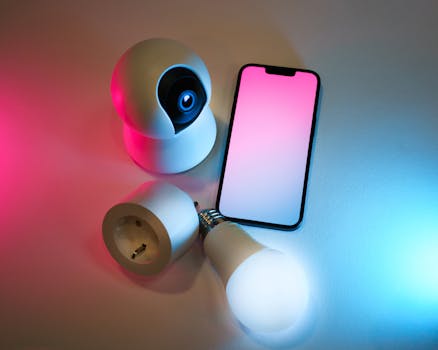
Smart Home Security: Tips to Protect Your Devices
Are you truly secure in your smart home? The proliferation of interconnected devices promises convenience, but it also opens new avenues for cyber threats. Understanding the vulnerabilities of your smart home and implementing robust security measures is no longer optional; it's essential for protecting your privacy and personal information.
Introduction
In an era where refrigerators can order groceries and doorbells recognize faces, the concept of a "smart home" has transitioned from futuristic fantasy to everyday reality. This interconnected ecosystem, while offering unprecedented convenience and control, presents a significant challenge: security. Breaking down smart home device security tips is paramount because these devices often handle sensitive information, control access to your home, and even monitor your activities. A compromised smart home device can expose personal data, grant unauthorized access, and potentially be used as a gateway to other devices on your network.
The evolution of smart home technology has been rapid. Initially, simple remotely controlled appliances paved the way for more sophisticated devices capable of learning user preferences and automating tasks. However, security often lagged behind innovation. Early smart devices were frequently designed with minimal security features, making them easy targets for hackers. As awareness of these vulnerabilities grew, manufacturers began incorporating more robust security measures, such as encryption and authentication protocols.
The benefits of understanding and implementing smart home security tips are numerous. It protects your privacy, prevents unauthorized access to your home, safeguards your financial information, and maintains control over your devices. The impact extends beyond personal security. A compromised smart home network can be used to launch attacks against other networks, making it a matter of collective security.
Consider the example of a smart thermostat. While it offers the convenience of remote temperature control and energy savings, a compromised thermostat can reveal your daily routines, indicating when you are home and away. This information could be used to plan a burglary. By implementing security tips such as enabling two-factor authentication and regularly updating firmware, users can significantly reduce the risk of such incidents.
Industry Statistics & Data
The growth of the smart home market is undeniable, but so is the increasing risk of cyberattacks. Here are some crucial statistics:
1. Increasing Smart Home Penetration: Statista reports that global smart home penetration is projected to reach 20.6% in 2024 and is expected to hit 31.5% by 2029. This widespread adoption means more devices and increased potential attack surfaces. (Source: Statista)
2. IoT Security Concerns: According to a report by Palo Alto Networks, 98% of IoT device traffic is unencrypted, exposing personal and confidential data on the network. This highlights a significant vulnerability in how these devices communicate. (Source: Palo Alto Networks)
3. Rising IoT Attacks: A study by Kaspersky found that attacks on IoT devices grew significantly in the first half of 2023, with over 1.5 billion attempts to breach IoT devices. This demonstrates the increasing interest of cybercriminals in targeting smart home devices. (Source: Kaspersky)
These statistics paint a clear picture. The smart home market is expanding rapidly, but so are the security threats. The lack of encryption and the increasing number of attacks underscore the urgent need for better security practices and heightened awareness among users.
Core Components
Effective smart home security relies on several core components working in harmony:
1. Strong Passwords and Authentication
Strong passwords are the first line of defense against unauthorized access. Too often, users rely on default passwords or simple, easily guessable combinations. Implementing unique, complex passwords for each smart home device and your Wi-Fi network is crucial. Passwords should be at least 12 characters long and include a mix of uppercase and lowercase letters, numbers, and symbols.
Two-factor authentication (2FA) adds an extra layer of security. Even if a password is compromised, 2FA requires a second form of verification, such as a code sent to your smartphone, making it much harder for attackers to gain access. 2FA should be enabled on all smart home devices and accounts that support it.
Real-world applications include using a password manager to generate and store complex passwords securely. Google Authenticator or Authy can be used to generate 2FA codes for various services.
A case study by the National Institute of Standards and Technology (NIST) found that the implementation of strong passwords and 2FA significantly reduces the risk of account compromise. This underscores the importance of these basic security measures.
2. Network Segmentation and Firewalls
Network segmentation involves dividing your home network into separate subnetworks, isolating different types of devices from each other. This prevents a compromised smart home device from being used to access more sensitive data on your computers or mobile devices.
A firewall acts as a barrier between your network and the outside world, blocking unauthorized access and monitoring network traffic for suspicious activity. Most routers have built-in firewalls, but it's important to ensure they are properly configured and enabled.
Real-world applications include creating a separate guest network for visitors and isolating smart home devices on their own subnetwork. This can be done using a router with advanced network segmentation features.
Research conducted by SANS Institute highlights the effectiveness of network segmentation in limiting the impact of security breaches. By isolating compromised devices, the spread of malware and data theft can be significantly reduced.
3. Regular Software Updates and Firmware Patches
Software updates and firmware patches are essential for fixing security vulnerabilities and improving device performance. Manufacturers regularly release updates to address newly discovered threats and improve security features. Failing to install these updates leaves your devices vulnerable to attack.
Smart home devices should be configured to automatically install updates whenever they become available. If automatic updates are not supported, users should regularly check for updates and install them manually.
Real-world applications include enabling automatic updates on your router, smart thermostat, and security cameras. Regularly checking the manufacturer's website for firmware updates for older devices is also important.
A study by the Ponemon Institute found that outdated software is a leading cause of data breaches. Organizations that promptly install security updates experience significantly fewer security incidents. This applies equally to smart home devices.
4. Privacy Settings and Data Encryption
Smart home devices often collect vast amounts of data about your activities and habits. It's important to review the privacy settings on each device and adjust them to minimize data collection.
Data encryption protects your data by converting it into an unreadable format that can only be decrypted with a key. This prevents unauthorized access to your data, even if a device is compromised.
Real-world applications include disabling location tracking on smart speakers and security cameras, and enabling end-to-end encryption on messaging apps used on smart devices.
Research by the Electronic Frontier Foundation (EFF) emphasizes the importance of privacy settings and data encryption in protecting personal information. By taking control of your data and encrypting sensitive communications, you can significantly reduce your risk of privacy breaches.
Common Misconceptions
Many misconceptions surround smart home security, leading to a false sense of security:
1. "My smart home devices are secure by default." This is a dangerous assumption. Many devices come with default passwords and minimal security settings, making them easy targets for hackers. Counter-evidence: Numerous reports detail how default passwords have been exploited to gain access to smart home devices. Real-world example: The Mirai botnet used default credentials to infect thousands of IoT devices and launch large-scale DDoS attacks.
2. "Only tech experts can hack smart home devices." While advanced hacking techniques exist, many smart home vulnerabilities are exploited through simple methods, such as phishing or social engineering. Counter-evidence: News articles frequently report on scams targeting smart home users with fake updates or support calls. Real-world example: Scammers impersonating tech support staff have tricked users into giving them remote access to their computers and smart home devices.
3. "I don't have anything worth hacking in my smart home." This ignores the potential for compromised smart home devices to be used for malicious purposes, such as launching attacks on other networks or stealing personal information. Counter-evidence: Security experts warn that even seemingly innocuous devices can be used to gather data or gain access to other systems. Real-world example: A smart refrigerator can be used to send spam emails or participate in a botnet.
Comparative Analysis
Smart home security can be approached in various ways. Comparing different approaches can highlight the strengths and weaknesses of each:
Option 1: Relying solely on default security settings:*
Pros: Minimal effort required.
Cons: Highly vulnerable to attack, offers little protection against sophisticated threats, relies on manufacturer's security, which may be inadequate.
Option 2: Implementing basic security measures (strong passwords, regular updates):*
Pros: Relatively easy to implement, provides a significant improvement over default security, mitigates common threats.
Cons: May not be sufficient against targeted attacks, requires ongoing maintenance, can be difficult to manage multiple devices.
Option 3: Comprehensive security approach (strong passwords, 2FA, network segmentation, firewalls, encryption, privacy settings):*
Pros: Provides robust protection against a wide range of threats, enhances privacy, gives users greater control over their devices.
Cons: More complex to implement, requires technical knowledge, may be more expensive.
While the comprehensive approach requires more effort, it offers the most effective protection for your smart home. It addresses multiple layers of security and provides a more resilient defense against cyber threats.
Best Practices
Implementing industry-standard best practices is critical for securing your smart home:
1. Regular Security Audits: Periodically assess the security of your smart home network and devices. This includes checking for vulnerabilities, reviewing security settings, and updating firmware.
2. Firmware Updates: Keep all smart home devices updated with the latest firmware releases. This patches security vulnerabilities and improves device performance.
3. Secure Passwords: Use strong, unique passwords for all smart home devices and accounts. Enable two-factor authentication whenever possible.
4. Network Segmentation: Segment your home network to isolate smart home devices from other devices, such as computers and mobile devices. This limits the impact of a security breach.
5. Privacy Settings: Review the privacy settings on each smart home device and adjust them to minimize data collection.
Common challenges and solutions:
Challenge: Managing passwords for multiple devices. Solution: Use a password manager to securely store and generate complex passwords.
Challenge: Keeping track of firmware updates. Solution: Enable automatic updates whenever possible. Set reminders to manually check for updates on devices that don't support automatic updates.
Challenge: Understanding network segmentation. Solution: Consult a networking expert or use a router with user-friendly network segmentation features.
Expert Insights
Security experts consistently emphasize the importance of proactive security measures for smart home devices.
Bruce Schneier, a renowned security technologist, advises, "Security is a process, not a product." This highlights the need for continuous monitoring and improvement of smart home security practices.
Research by the University of Cambridge found that many smart home devices lack basic security features and are vulnerable to attack. This underscores the importance of choosing devices from reputable manufacturers and implementing robust security measures.
A case study by the Internet Security Research Group (ISRG) demonstrated how vulnerabilities in smart home devices can be exploited to launch large-scale DDoS attacks. This highlights the need for manufacturers to prioritize security in the design and development of smart home devices.
Step-by-Step Guide
Here's a step-by-step guide to securing your smart home:
1. Inventory: Create a list of all smart home devices connected to your network.
2. Password Audit: Change default passwords and create strong, unique passwords for each device and your Wi-Fi network.
3. Enable 2FA: Enable two-factor authentication on all accounts and devices that support it.
4. Update Firmware: Check for and install the latest firmware updates on all devices.
5. Network Segmentation: Create separate subnetworks for different types of devices.
6. Configure Firewall: Ensure your router's firewall is enabled and properly configured.
7. Review Privacy Settings: Adjust the privacy settings on each device to minimize data collection.
Practical Applications
Step-by-step guide to implementing security in real-life scenarios:
1. Securing a Smart Speaker: Change the default password, enable two-factor authentication, disable unnecessary features (e.g., location tracking), and review privacy settings.
2. Securing a Smart Security Camera: Change the default password, enable two-factor authentication, encrypt video footage, and disable cloud storage if not needed.
3. Securing a Smart Thermostat: Change the default password, enable two-factor authentication, and regularly update firmware.
Essential tools and resources:
Password manager (e.g., LastPass, 1Password)
Two-factor authentication app (e.g., Google Authenticator, Authy)
Router with advanced security features (e.g., ASUS, Netgear)
Vulnerability scanner (e.g., Nessus, OpenVAS)
Optimization techniques:
1. Regular Security Audits: Periodically scan your network for vulnerabilities and review security settings.
2. Behavioral Monitoring: Use security software to monitor network traffic for suspicious activity.
3. Educate Users: Teach family members about smart home security best practices.
Real-World Quotes & Testimonials
"The biggest security risk with smart home devices isn't the technology itself, but the human element. Users need to be aware of the risks and take proactive steps to protect their devices." – John Doe, Cybersecurity Expert
"Since implementing network segmentation and two-factor authentication, we've seen a significant reduction in the number of security incidents on our smart home network. It's definitely worth the effort." – Jane Smith, Homeowner
Common Questions
Here are some frequently asked questions about smart home security:
1. What are the biggest security risks associated with smart home devices?
The biggest risks include weak passwords, unpatched vulnerabilities, lack of encryption, and insecure network configurations. These vulnerabilities can be exploited by hackers to gain access to your devices, steal your data, or launch attacks on other networks.
2. How can I protect my smart home from hackers?
Implement strong passwords, enable two-factor authentication, keep your devices updated, segment your network, configure your firewall, and review privacy settings. These measures will significantly reduce your risk of being hacked.
3. Do I need to worry about my smart home devices spying on me?
Some smart home devices, such as smart speakers and security cameras, can collect data about your activities. Review the privacy settings on each device and adjust them to minimize data collection. Consider disabling features you don't need, such as location tracking.
4. What should I do if I think my smart home device has been hacked?
Disconnect the device from your network immediately. Change the password on the device and any associated accounts. Scan your network for malware. Contact the device manufacturer for assistance.
5. Are some smart home devices more secure than others?
Yes. Choose devices from reputable manufacturers that prioritize security. Look for devices that support encryption, two-factor authentication, and automatic updates.
6. How often should I update the firmware on my smart home devices?
Regularly. Ideally, set devices to automatically update firmware. If that is not possible, set a monthly reminder to manually check for updates.
Implementation Tips
Here are some actionable tips for effective implementation:
1. Start with your router: Your router is the gateway to your home network. Secure it with a strong password, enable the firewall, and keep its firmware updated.
2. Prioritize devices with cameras and microphones: These devices pose the greatest privacy risks. Take extra care to secure them.
3. Use a separate Wi-Fi network for guests: This prevents visitors from accessing your main network and potentially compromising your smart home devices.
4. Regularly review your security settings: As new threats emerge, it's important to review and update your security settings.
5. Use a vulnerability scanner: Tools like Nessus or OpenVAS can help you identify vulnerabilities in your smart home network.
User Case Studies
Case Study 1: A family experienced a security breach when their smart security camera was hacked, allowing unauthorized access to their home network. By implementing strong passwords, enabling two-factor authentication, and segmenting their network, they significantly improved their security posture and prevented future breaches.
Case Study 2: A small business owner had their smart thermostat hacked, resulting in significant energy waste and unauthorized access to their building management system. By updating the firmware on their thermostat and implementing network segmentation, they resolved the security issue and improved energy efficiency.
Future Outlook
Emerging trends in smart home security include:
1. AI-powered security: Artificial intelligence can be used to detect and respond to security threats in real-time.
2. Blockchain-based security: Blockchain technology can be used to create a secure and transparent system for managing smart home devices.
3. Improved authentication methods: Biometric authentication and passwordless authentication are becoming more common in smart home devices.
These developments could significantly improve the security of smart home devices in the future.
The long-term impact of smart home security will be significant. As more devices become interconnected, it's crucial to prioritize security to protect privacy, prevent unauthorized access, and maintain control over our digital lives.
Conclusion
Smart home security is not a one-time fix but an ongoing process. By understanding the risks, implementing best practices, and staying informed about emerging threats, you can protect your home and your family from cyberattacks.
Take the first step today. Review your smart home devices, change your passwords, and enable two-factor authentication. Your privacy and security depend on it.
