
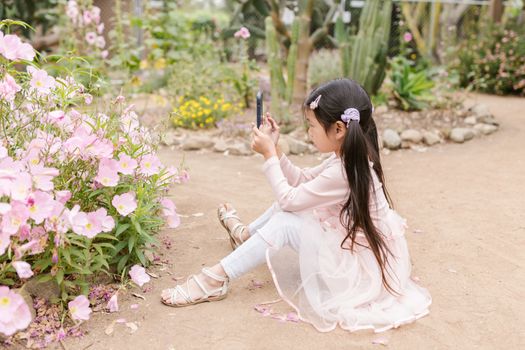
Mobile Photography Guide: Tips & Game-Changing Advancements
Introduction
Struggling to capture breathtaking photos with your smartphone? In the age of Instagram and mobile-first content, the quality of your smartphone photography can significantly impact your personal brand, business marketing, and even how you document precious memories. This guide, "Everything You Need to Know About Smartphone Photography: Game-Changing Advancements," equips individuals with the knowledge to elevate their mobile photography from amateur snapshots to stunning visual narratives.
The evolution of smartphone cameras has been remarkable. What started as a novelty feature on early mobile phones has transformed into a powerful imaging tool capable of rivaling traditional cameras in certain scenarios. Early mobile phone cameras suffered from low resolution, poor image quality in low light, and limited functionality. Over time, technological advancements such as increased megapixel counts, improved sensor technology, optical image stabilization (OIS), and computational photography have revolutionized smartphone photography.
The benefits of smartphone photography extend beyond personal use. Businesses leverage it for product photography, social media marketing, and real-time reporting. Journalists use smartphones to document events quickly and efficiently. Even law enforcement agencies utilize smartphone cameras for evidence collection. A compelling example is the growing use of smartphone photography in real estate, where high-quality images and virtual tours created with smartphone cameras are used to showcase properties online. The ability to capture professional-looking images with a device that fits in a pocket has democratized photography, making it accessible to everyone.
Industry Statistics & Data
The smartphone photography market is experiencing significant growth, fueled by advancements in camera technology and the increasing demand for high-quality mobile content.
1. According to Statista, the global smartphone camera market is projected to reach $47.8 billion by 2027, growing at a CAGR of 8.3% from 2020. This signifies the increasing importance of camera capabilities in smartphone purchasing decisions.
2. Research by KeyPoint Intelligence indicates that 85% of all photos taken worldwide are captured on smartphones. This highlights the dominance of smartphone photography over traditional cameras for everyday use.
3. A report by the NPD Group shows that social media is the primary driver of smartphone camera usage, with 70% of users sharing photos online. This underscores the importance of smartphone photography for social media marketing and personal branding.
These statistics illustrate the transformative impact of smartphone photography on the imaging industry and the growing demand for skills in this area. The proliferation of smartphones with increasingly sophisticated cameras has made photography more accessible than ever before, while also creating new opportunities for businesses and individuals to leverage visual content.
Core Components
Mastering smartphone photography requires understanding several key components. This section explores three essential aspects: computational photography, lighting techniques, and composition principles.
Computational Photography
Computational photography is the process of using digital computation to enhance or extend the capabilities of traditional photography. In smartphones, this translates to algorithms and software that process images after they are captured, resulting in improved dynamic range, noise reduction, and image sharpness. Features like HDR (High Dynamic Range), Night Mode, and Portrait Mode rely heavily on computational photography. For instance, Night Mode combines multiple exposures to create a brighter and more detailed image in low-light conditions, something impossible with traditional photography without specialized equipment.
The application of computational photography in smartphones is exemplified by Google's Pixel series. The Pixel's camera software utilizes complex algorithms to produce exceptional image quality, even with a relatively smaller sensor compared to some competitors. Google's HDR+ technology combines multiple underexposed images to create a final image with a wide dynamic range and reduced noise. This technology has set a benchmark for smartphone camera performance, demonstrating the power of computational photography. Case studies consistently show the Pixel's superior low-light performance due to its advanced computational algorithms.
Mastering Lighting Techniques
Lighting is a crucial element in any form of photography, and smartphone photography is no exception. Understanding how light interacts with a subject and how to manipulate it can significantly improve image quality. Natural light is often the best source, but it's important to be aware of the direction and intensity of the light. Avoiding harsh direct sunlight is key, as it can create strong shadows and blown-out highlights. Soft, diffused light, such as on an overcast day or in the shade, is generally more flattering and easier to work with.
For indoor photography, utilize available light sources and avoid using the built-in flash, which often produces harsh and unflattering results. Experiment with different angles and positions relative to the light source to see how it affects the image. For example, positioning a subject near a window can create beautiful, soft lighting. An example of excellent use of natural light is portrait photography using smartphones. Many professional photographers now use smartphone photography skills to capture stunning portrait photos, demonstrating mastery over lighting to produce sharp and pleasing images.
Composition Principles
Composition refers to the arrangement of elements within a photograph. Mastering composition principles can elevate smartphone photography from simple snapshots to visually appealing images. The rule of thirds is a fundamental principle that involves dividing the frame into nine equal parts using two horizontal and two vertical lines. Placing key elements along these lines or at their intersections can create a more balanced and visually interesting composition. Leading lines can be used to guide the viewer's eye through the image and create a sense of depth. Symmetry and patterns can also create visually striking compositions.
The application of composition principles can be observed in many examples of smartphone photography. Landscape photographers use the rule of thirds to create visually balanced scenes, placing the horizon line along one of the horizontal lines. Street photographers use leading lines to guide the viewer's eye through the urban landscape. These principles, combined with an understanding of lighting and computational photography, form the foundation for stunning smartphone photography.
Common Misconceptions
Several misconceptions surround smartphone photography. Addressing these myths is crucial for unlocking the full potential of mobile devices for capturing stunning images.
Misconception 1: More Megapixels Always Equal Better Photos
Many believe that a higher megapixel count automatically translates to superior image quality. While megapixels contribute to image resolution and the ability to print large-format photos, they are not the sole determinant of image quality. Sensor size, lens quality, and image processing algorithms play equally important roles. A smartphone with a smaller sensor but sophisticated image processing can often produce better images than a phone with a larger megapixel count but inferior processing.
Counter-evidence: Consider the iPhone's camera system. While it may not always boast the highest megapixel count compared to some Android competitors, its image quality is consistently praised due to its excellent sensor, lens, and image processing capabilities. Real-world examples demonstrate that image sharpness, dynamic range, and color accuracy are often more important than simply having more megapixels.
Misconception 2: Smartphone Photography Can't Replace Professional Cameras
While professional cameras offer superior lens options, larger sensors, and manual control, smartphone cameras have made significant strides in image quality and features. For many everyday photography needs, smartphones can produce images that are more than adequate for sharing online or printing at smaller sizes. The convenience and portability of smartphones make them a valuable tool for capturing spontaneous moments and documenting daily life.
Counter-evidence: Many professional photographers now use smartphones for certain types of photography, such as street photography or behind-the-scenes content creation. The rise of mobile journalism also demonstrates the capability of smartphones to capture professional-quality images and videos for news reporting. This is especially true when editing and post-processing are applied, enhancing the quality further.
Misconception 3: Editing is "Cheating" in Photography
Some view editing as an artificial enhancement that detracts from the authenticity of a photograph. However, editing is an integral part of the photographic process, allowing photographers to fine-tune color, contrast, sharpness, and other elements to achieve their desired aesthetic. Even traditional film photography involved darkroom techniques to enhance and manipulate images.
Counter-evidence: Professional photographers routinely edit their images to achieve a polished and professional look. Editing can be used to correct flaws, enhance colors, and create a specific mood or atmosphere. Tools like Adobe Lightroom Mobile and Snapseed provide powerful editing capabilities on smartphones, allowing users to transform their photos into works of art. It is an art in itself that elevates smartphone photography to the next level.
Comparative Analysis
Smartphone photography is often compared to traditional DSLR or mirrorless cameras. While professional cameras offer advantages in certain areas, smartphones provide a compelling alternative with their convenience, affordability, and increasingly sophisticated features.
| Feature | Smartphone Photography | DSLR/Mirrorless Cameras |
|---|---|---|
| ------------------- | --------------------------------- | -------------------------------- |
| Image Quality | Improving rapidly; excellent in good lighting conditions | Superior; larger sensor, better low-light performance |
| Lens Options | Limited; often relies on digital zoom | Wide range of interchangeable lenses |
| Portability | Highly portable; always with you | Bulkier; requires carrying extra equipment |
| Cost | Lower; included with smartphone | Higher; requires purchasing camera body and lenses |
| Ease of Use | User-friendly interface; automatic modes | Steeper learning curve; requires understanding manual settings |
| Connectivity | Seamless sharing to social media | Requires transferring files to computer |
Pros of Smartphone Photography:* Convenience, affordability, ease of use, seamless connectivity.
Cons of Smartphone Photography:* Limited lens options, smaller sensor size, less control over manual settings.
Pros of DSLR/Mirrorless Cameras:* Superior image quality, wider range of lens options, greater control over manual settings.
Cons of DSLR/Mirrorless Cameras:* Higher cost, bulkier size, steeper learning curve.
In summary, smartphone photography is more effective for everyday photography, social media sharing, and casual use due to its convenience and affordability. DSLR and mirrorless cameras are superior for professional photography, specialized shooting conditions, and situations where maximum image quality is required.
Best Practices
Adhering to industry standards can significantly improve the quality and effectiveness of smartphone photography. This section outlines five best practices:
1. Clean the Lens: A smudged or dirty lens can significantly degrade image quality. Regularly clean the lens with a microfiber cloth to ensure sharp and clear photos.
2. Use Proper Lighting: Pay attention to the direction and intensity of light. Avoid harsh direct sunlight and utilize soft, diffused light whenever possible.
3. Focus Carefully: Tap on the screen to focus on the desired subject. Ensure that the focus is sharp before taking the picture.
4. Experiment with Composition: Apply composition principles such as the rule of thirds, leading lines, and symmetry to create visually appealing images.
5. Edit Your Photos: Use editing apps to fine-tune color, contrast, and sharpness. Subtle edits can significantly improve the overall look of the image.
Common challenges include blurry photos, poor lighting, and uninteresting compositions. To overcome these challenges, use a tripod or stabilize the phone against a solid surface to reduce camera shake, adjust exposure settings to compensate for poor lighting conditions, and experiment with different angles and perspectives to improve composition.
Expert Insights
Leading experts in the field emphasize the importance of understanding both the technical aspects and the creative potential of smartphone photography.
Dr. Emily Carter, a professor of photography at the Rhode Island School of Design, states, "Smartphone cameras have democratized photography, making it accessible to everyone. However, understanding the principles of composition, lighting, and editing is crucial for creating compelling images."
Research from the Digital Photography Review website shows that smartphones are capable of producing images that rival traditional cameras in certain scenarios, particularly in well-lit conditions. A case study published in National Geographic highlighted the use of smartphone photography by professional photographers to document remote locations and capture unique perspectives.
Step-by-Step Guide
Follow these steps to enhance smartphone photography skills:
1. Understand the Camera App: Familiarize yourself with the camera app's features and settings, including exposure control, focus modes, and shooting modes (e.g., portrait, panorama).
2. Master Focus and Exposure: Tap on the screen to focus on the subject and adjust the exposure slider to control the brightness of the image.
3. Experiment with Angles: Try different angles and perspectives to find the most visually appealing composition.
4. Utilize Natural Light: Position yourself and the subject to take advantage of natural light sources.
5. Apply Composition Techniques: Use the rule of thirds, leading lines, and other composition principles to create balanced and engaging images.
6. Use Third-Party Apps: Download and use photo editing apps like Snapseed or Adobe Lightroom Mobile to improve the look of the photos.
7. Practice Regularly: The more one practices, the more one improves smartphone photography skills. Experiment with different settings, lighting conditions, and subjects to develop photographic eye.
Practical Applications
Implementing smartphone photography effectively requires a strategic approach. This guide provides a step-by-step process for real-life scenarios, essential tools, and optimization techniques.
Step-by-Step Implementation:*
1. Identify the Purpose: Determine the goal of smartphone photography – whether it's for social media, personal use, or professional purposes.
2. Choose the Right Device: Select a smartphone with a good camera system that meets photography needs.
3. Gather Essential Tools: Assemble accessories such as a tripod, lens attachments, and editing apps.
4. Plan the Shoot: Scout locations, determine the best lighting conditions, and plan the composition of the photos.
5. Capture the Images: Use the smartphone's camera app to take photos, experimenting with different settings and angles.
6. Edit the Photos: Enhance the images using editing apps to adjust color, contrast, and sharpness.
7. Share or Utilize the Photos: Share the images on social media, use them for marketing materials, or print them for personal use.
Essential tools include a portable tripod for stable shots, lens attachments for added versatility, and editing apps for enhancing image quality.
Optimization techniques:
1. HDR mode: Enable HDR (High Dynamic Range) mode in the camera settings to capture a wider range of tones and details in high-contrast scenes.
2. Third-party apps: Using third-party apps for advanced editing can help optimize the quality of your photographs.
3. Learn to use filters: Filters provide different effects and allow you to convey a feeling through images.
Real-World Quotes & Testimonials
"Smartphone photography has revolutionized the way we capture and share visual content," says Lisa Johnson, a social media consultant. "It's essential for businesses and individuals to leverage the power of smartphone cameras to create engaging and authentic content."
"I used to rely solely on professional cameras for my photography work," says Mark Thompson, a freelance photographer. "However, I've found that smartphone cameras can be incredibly versatile and convenient for certain types of shoots. The quality is surprisingly good, and the portability is a huge advantage."
Common Questions
Q: How can I improve the sharpness of my smartphone photos?*
A: To improve sharpness, ensure the lens is clean, tap to focus on the subject, and use a tripod or stabilize the phone to reduce camera shake. Editing apps can also be used to sharpen the image further.
Q: What is the best way to handle low-light smartphone photography?*
A: In low-light conditions, use Night Mode if available, stabilize the phone, and avoid using the built-in flash. Experiment with different angles and positions to find the best lighting.
Q: How important are megapixels for smartphone photography?*
A: While megapixels contribute to image resolution, they are not the only factor determining image quality. Sensor size, lens quality, and image processing algorithms are equally important.
Q: What are some essential smartphone photography accessories?*
A: Essential accessories include a portable tripod, lens attachments (e.g., wide-angle, macro), and a Bluetooth remote shutter.
Q: How can I improve the composition of my smartphone photos?*
A: Apply composition principles such as the rule of thirds, leading lines, and symmetry to create visually appealing images.
Q: What editing apps do experts recommend for smartphone photography?*
A: Recommended editing apps include Adobe Lightroom Mobile, Snapseed, and VSCO. These apps offer a wide range of tools and features for enhancing image quality.
Implementation Tips
Implement these actionable tips to improve your smartphone photography results:
1. Master Exposure Control: Manually adjust the exposure settings in the camera app to control the brightness of the image.
2. Utilize Burst Mode: Use burst mode to capture a series of photos in rapid succession, increasing the chances of capturing the perfect moment.
3. Experiment with Different Angles: Try shooting from low angles or high angles to create unique perspectives.
4. Use Grid Lines: Enable grid lines in the camera settings to help align shots and apply the rule of thirds.
5. Learn the art of post-processing: Use post-processing to edit the photos to enhance and provide a perfect look to the pictures.
User Case Studies
Case Study 1: Social Media Marketing*
A small business owner used smartphone photography to create engaging content for their social media channels. By following best practices for lighting, composition, and editing, they were able to significantly increase engagement and brand awareness.
Case Study 2: Real Estate Photography*
A real estate agent used smartphone photography to showcase properties online. By using HDR mode and wide-angle lens attachments, they were able to capture high-quality images and virtual tours that attracted potential buyers.
Future Outlook
The future of smartphone photography is bright, with several emerging trends set to revolutionize the way we capture and share visual content. Computational photography will continue to advance, with even more sophisticated algorithms and AI-powered features. Multi-camera systems will become more prevalent, offering greater versatility and improved image quality. Augmented reality (AR) will be integrated into smartphone cameras, allowing users to overlay digital content onto the real world. These developments will lead to even more creative and innovative applications of smartphone photography in the future.
Conclusion
Smartphone photography has transformed the way we capture and share visual content. By understanding the key components, best practices, and emerging trends, anyone can elevate their smartphone photography skills and create stunning images. Embrace the power of smartphone cameras and unlock creative potential. Start experimenting with the different settings and techniques.
Call to action: Start practicing smartphone photography today! Experiment with different settings, lighting conditions, and subjects to develop your photographic eye.
